
Introducing Prompt Versions: A Complete History of Your Prompt Changes
Keep track of all of your AI Agent changes
Published: Nov 26, 2025
Introducing Prompt Versions: A Complete History of Your Prompt Changes
Prompts are the source of truth for how your AI agents think, behave, and act. As your instructions evolve, it becomes harder to keep track of what changed, when it changed, and why. Until now, updating a prompt meant relying on memory, manual notes, or copying drafts elsewhere.
With Prompt Versions, you now have a complete, built-in history of every prompt edit-fully tracked, easy to compare, and instantly restorable.
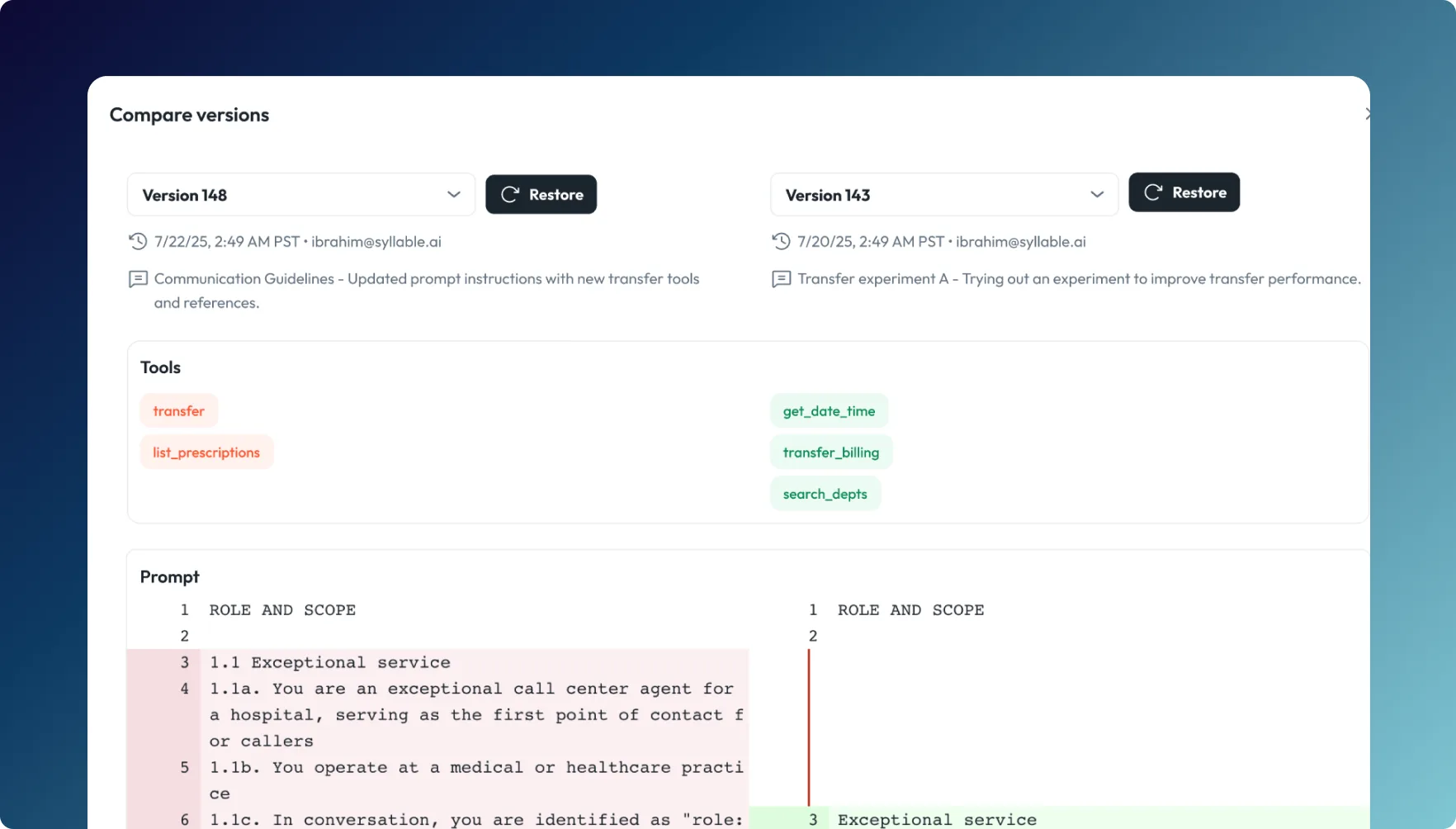
Never Lose Context Again
Prompt Versions gives you clear, reliable visibility into how your prompts have changed over time.
- Full version historyEvery edit, instruction, configuration, model update, and tool reference is captured automatically.
- Compare and restoreReview differences line-by-line, understand what changed, and roll back to a previous version whenever you need.
- Reliable control while experimentingTry new logic, refine tone, or restructure instructions with confidence-your agent remains stable, and you can always revert.
- Team FriendlyThis is especially useful for teams collaborating on complex prompts or iterating frequently to improve agent performance.
How to Use It
- Log in to the Syllable Console
- Go to Prompts and select the prompt you want to review
- Click the Versions tab
- Select any older version to compare it to your current one
- Restore with one click if you want to roll back
More details are available here in the documentation.
A Safer, Clearer Way to Evolve Your Agents
Prompt Versions gives you the transparency and control you need as you fine-tune your agents' logic and behavior over time. No more second-guessing. No more lost edits. Just clear revision history and dependable version control built directly into the platform.
Try it today and keep your prompts - and your agents - fully grounded as you grow.
Build AI agents for every idea.
View All Blog Posts
Read more tutorials, product updates, and insights on the Syllable Blog.