
How to test your voice AI agent
Preview and Perfect your AI agent's voice
Published: Nov 04, 2025
Your AI voice matters
The voice that answers your phone is the voice of your brand. When a caller picks up the line, that first greeting sets the tone for the entire interaction, and the impression it creates stays with them. A friendly, clear, and confident voice instils trust and communicates professionalism. Research shows that consistent voice and language across communication channels build stronger brand recognition and deeper connection with customers. Syllable delivers flawless brand representation across multiple channels.
Before your AI agent ever speaks with a customer, you can now test its voice directly inside the Syllable Console. The new Voice Test feature lets you listen, adjust, and compare voices instantly - all without running a live session.
No more guesswork or waiting for campaign calls to hear your agent in action. With Voice Preview, you can confirm your tone, pronunciation, and pacing before launch.
How it works
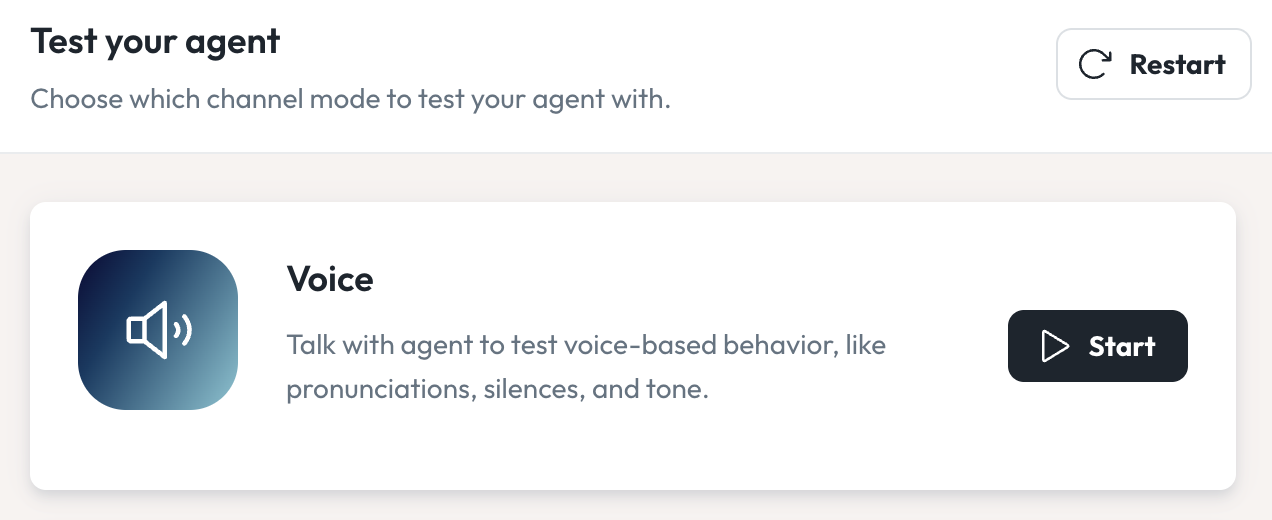
- Go to your Agent - In the Syllable Console, click on "Agents", select the agent you'd like to hear and click "Preview"
- Start your test - You'll find a new voice section under "Test your agent", click "Start." Note: You may need to enable mic and audio permissions
- Listen and adjust - Instantly hear your agent's voice and listen to it's tone, pronunciation and pacing.
- Verify tool calls - Watch the panel on the right hand side for tool usage and other technical information.
- Perfect the voice - Want to change the voice or adjust the talking speed to give it some pep? You can find voice settings under "Voices", select your voice group and then click "Edit"
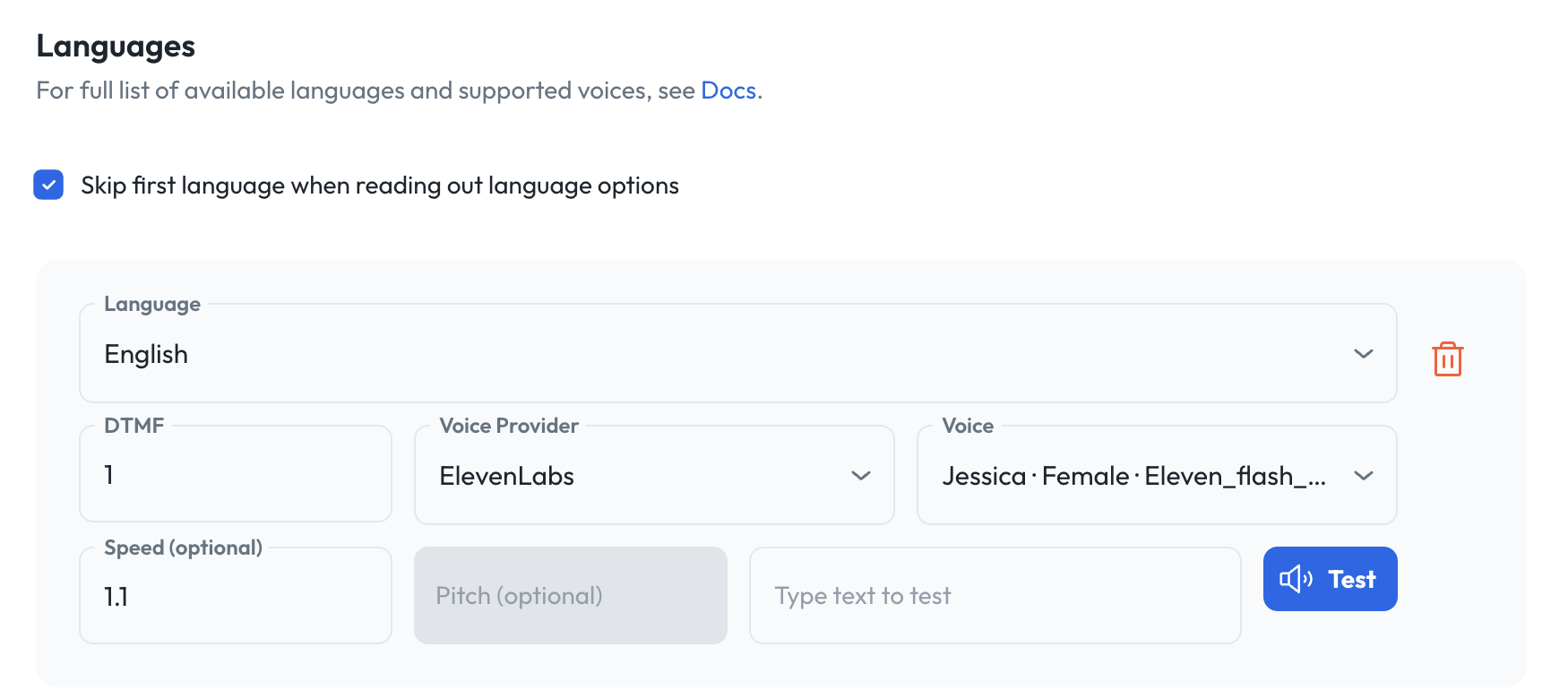
Voice Preview makes it easy to hear your full prompt
- Make your voice match your brand to ensure a perfect call
- Preview voice quality without running full sessions
- Ensure pronunciation accuracy for brand names or complex terms
- Compare voice providers like Google Chirp, OpenAI, ElevenLabs
- Save time during onboarding and QA
Combined with Pronunciations and Voice Groups, Syllable offers you full control over how your agents sound in every language and across every channel.
Build AI agents that represent your brand
Voice Preview is part of Syllable's mission to make AI agents clear, consistent, and trustworthy across voice, chat, and web.
Try it out in the Syllable Console today and perfect your next conversation.
View All Blog Posts
Read more tutorials, product updates, and insights on the Syllable Blog.